That butterfly your child spotted on a walk has somewhere to go. So does the tiger you photographed at the zoo. Give them a maze, a destination and a pencil, and a familiar picture becomes a small adventure.
Lineora turns your photo into a printable maze. A character inspired by the picture starts in one corner, a destination waits in the other, and your job is to find the way between them. Choose Easy, Medium or Hard, then print a page to solve and color.
A photo gives the puzzle a story
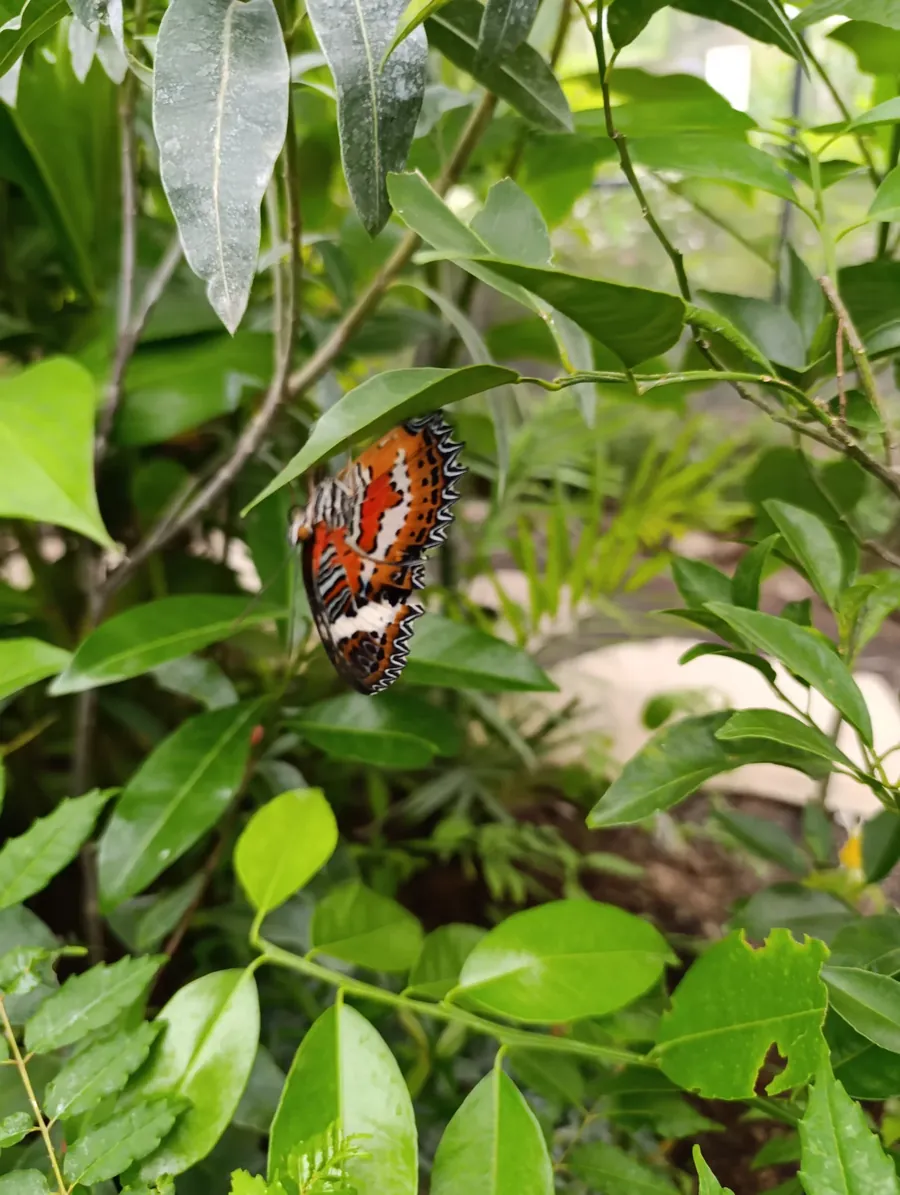
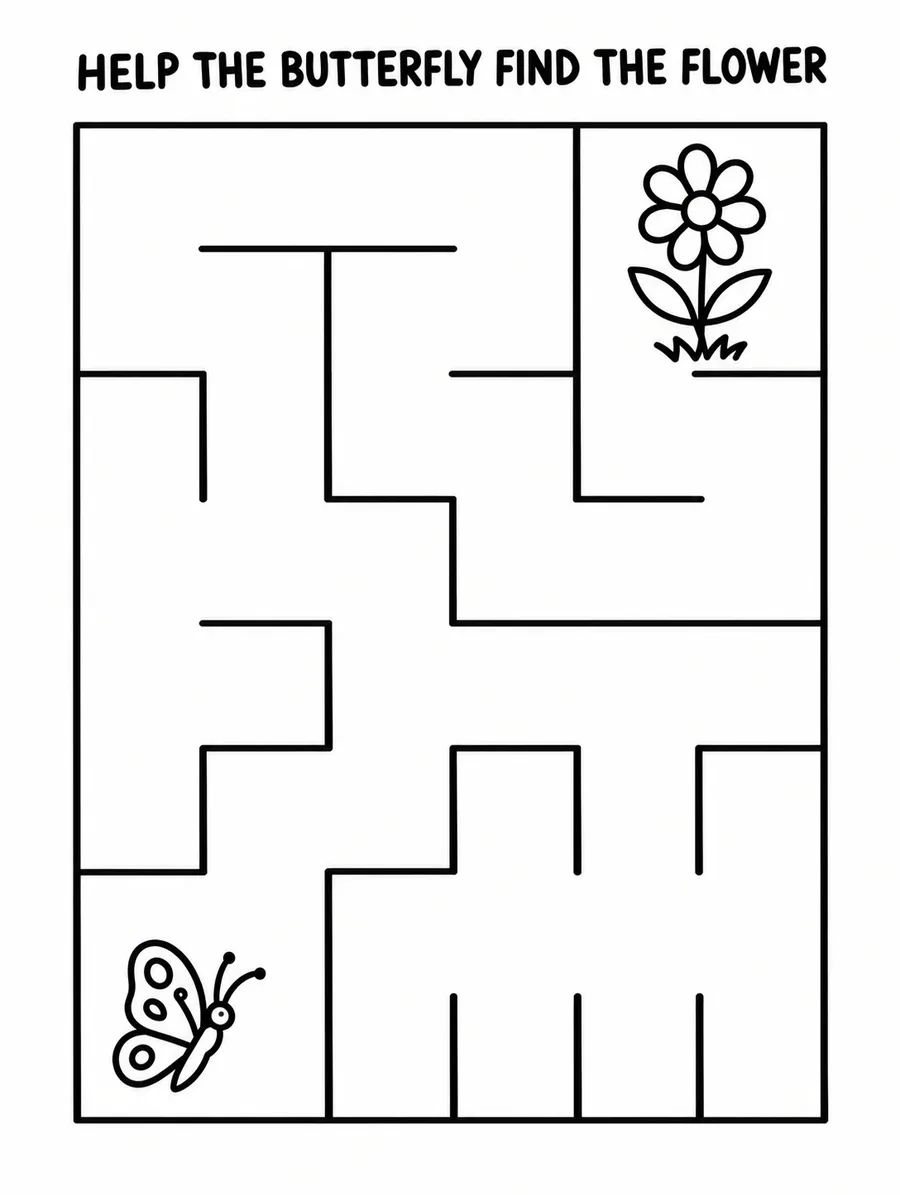
Start with the butterfly. In the photo, it is resting among green leaves. On the maze page, it needs help reaching a flower. The butterfly comes from the picture; the flower is a destination Lineora adds to give it a journey.
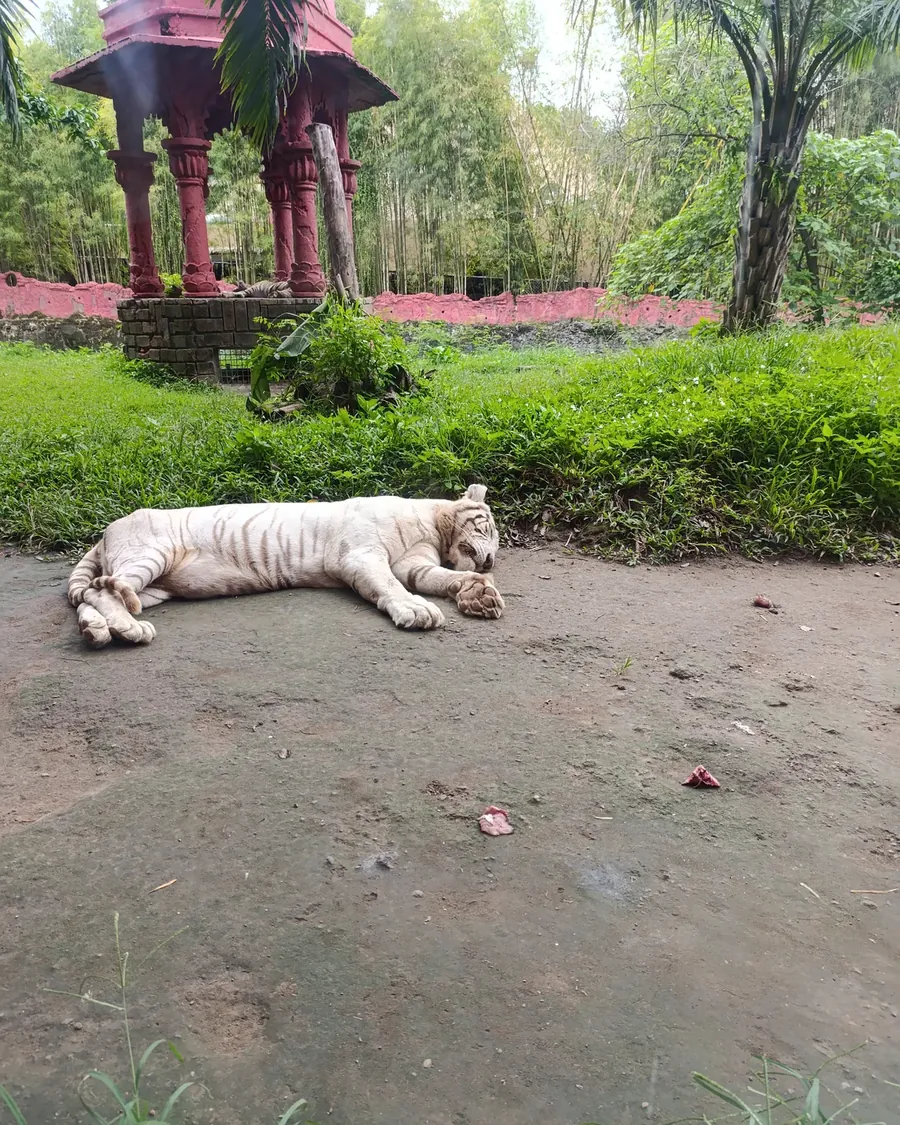
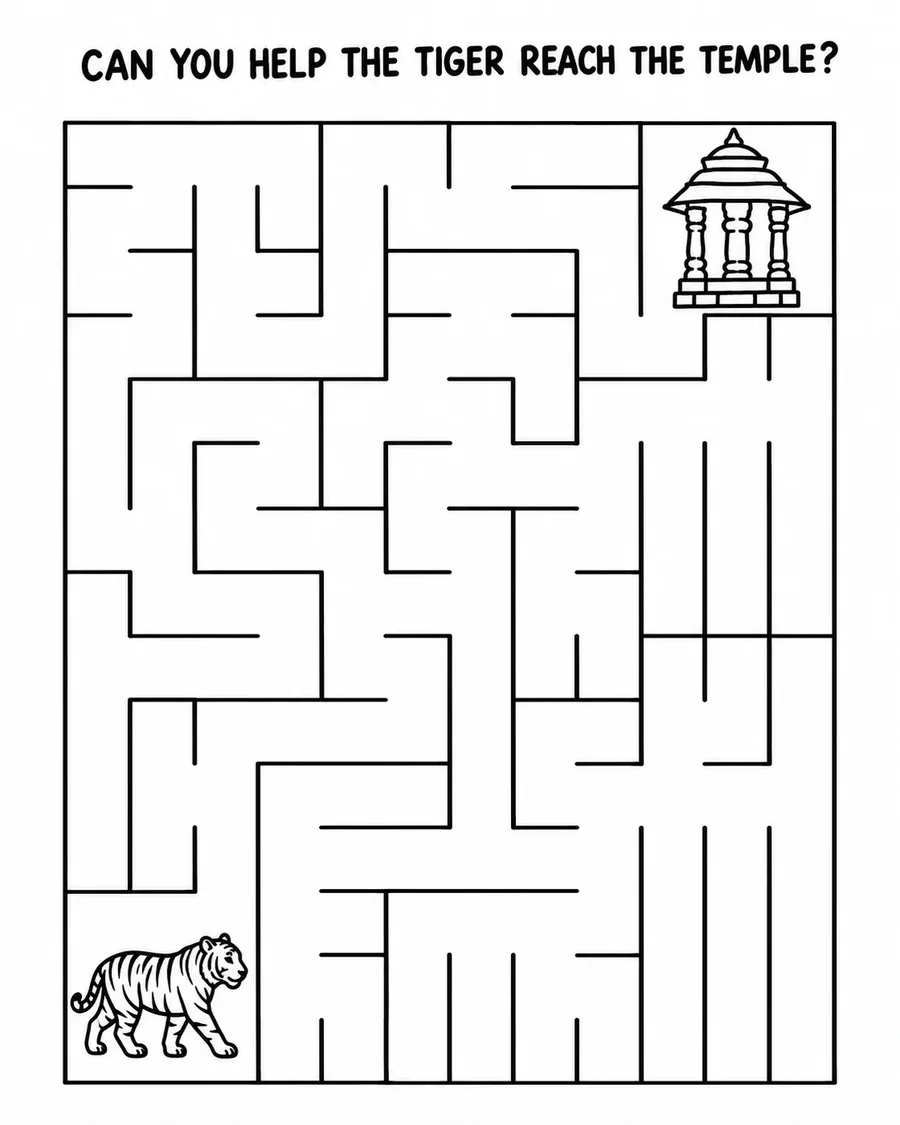
With the tiger, both parts of the story are already there. The animal on the path becomes the starting character, and the red pavilion in the background becomes its destination. A detail you might barely notice in the photo gives the puzzle its purpose.
A holiday photo can work the same way. Here, a person in a rocky passage becomes a backpacked explorer, with the distant statue waiting at the finish.
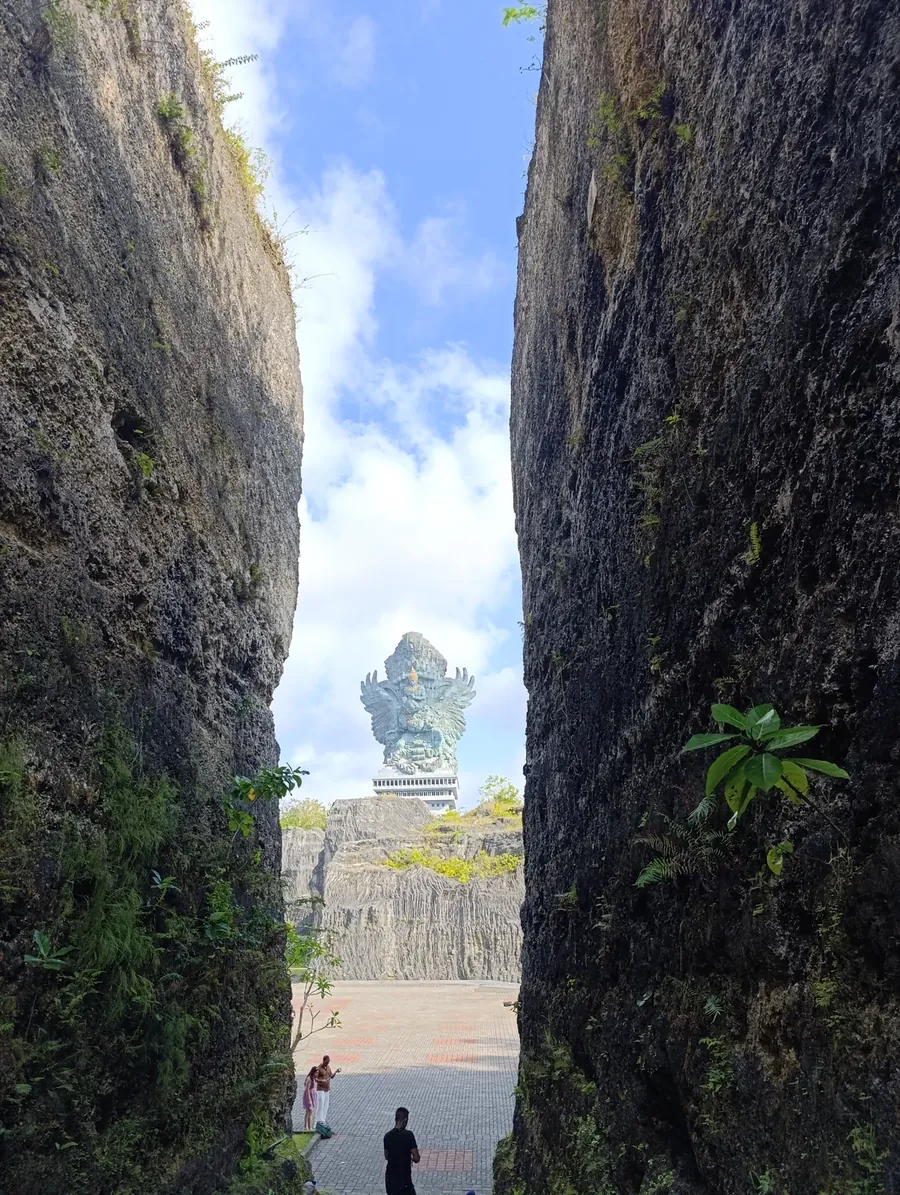
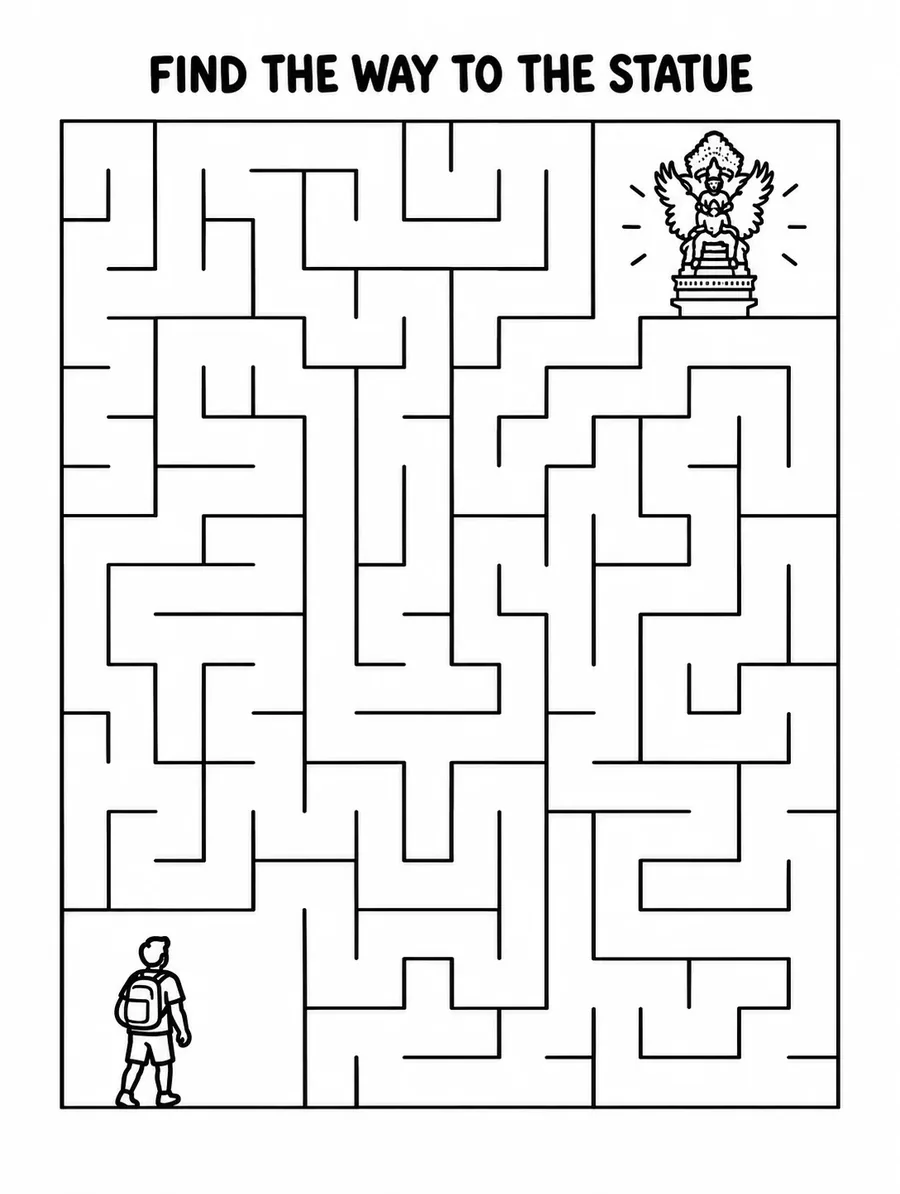
The corner drawings are simple illustrations inspired by the photo, so expect a recognizable subject rather than an exact portrait. Lineora also writes the short instruction at the top in your app’s language. It can interpret a detail differently from you, so take a look at the caption before printing.
Pick the challenge that fits
The three levels change how the maze feels to solve, as well as how much fits on the page:
- Easy: Six cells across, wide paths and a short route with a few wrong turns. A gentle place to start for someone trying their first mazes.
- Medium: Twelve cells across, a longer route and more turns to think through. Try this when Easy starts to feel familiar.
- Hard: Sixteen cells across, a winding route and longer dead ends that can branch again. For someone who enjoys retracing their steps, including the adults at the table.
Choose for the solver’s patience and experience. Finishing a simpler puzzle and asking for another is a good afternoon’s work.
From your camera roll to the table
In Lineora, choose a photo and open Activities → Maze. Select a difficulty level and create your page. Each new maze costs one credit, and the finished page is saved in your library, ready to export and print.
Black-and-white printing is all you need. Leave the page large enough for a pencil to move comfortably through the paths, especially for a beginner. If two people want a go, print a copy for each so they can find their own routes.
Once the maze is solved, bring out the coloring pencils. The butterfly, tiger or explorer in the corner still needs some color. You can even ask your child to tell you what happens after they reach the finish.
What makes the paths work?
A maze needs more than convincing lines: the start and finish have to connect. That was the hardest part of building this activity. An AI can draw something that looks like a maze while accidentally blocking the only way through.
Our main generation process starts with a maze built by code, with a connected layout and one route between start and finish. The AI uses that layout as a reference and adds the parts inspired by your photo: the character, the destination and the caption.
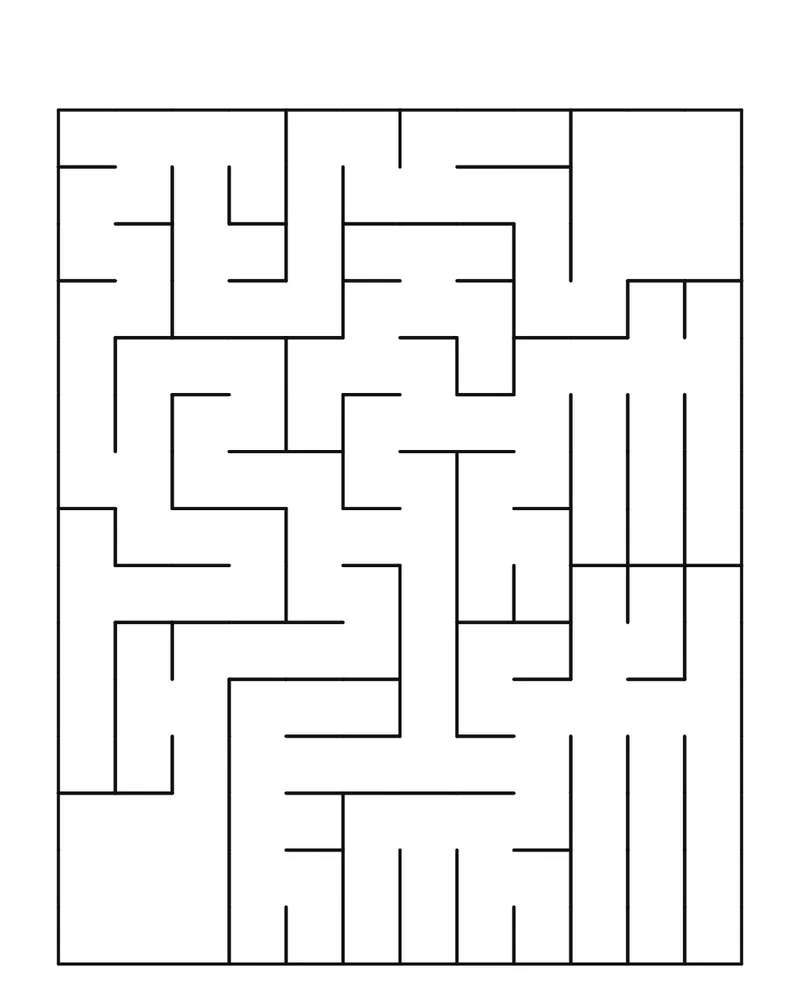
An automatic check then looks for blocked passages and closed entrances. If it finds a problem, Lineora tries again, with up to three attempts in total.
That reduces mistakes, but it does not guarantee a perfect finished page: if all three attempts fail the check, the last page is still returned. It’s worth tracing the route yourself before handing out copies for a group.
Start with a picture they remember
Let your child choose a photo from your last walk or day out. Make the maze, put a pencil beside it, and see whether they spot the connection.
“That’s the butterfly we saw!” is a lovely place for a puzzle to begin.